Color-Blindness Test4.4
Publisher Description

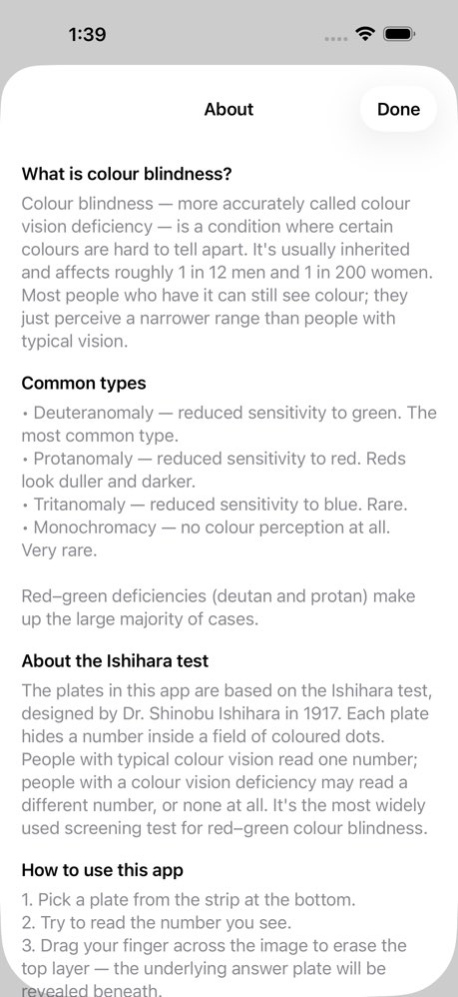


Color-Blindness Test is a simple, ad-free way to check your color vision using the classic Ishihara plate method.
Color blindness is the inability to distinguish between certain colors. It results from a deficiency of color-sensitive pigment in the cone cells of the retina. The most common form is red-green color blindness, where red and green are perceived as the same color. Roughly 8% of men and 0.5% of women are affected, most of them from birth.
FEATURES
. 50 high-resolution Ishihara test plates
. Tap to erase the dotted overlay and reveal the correct answer
. Clean, modern interface - no ads, no sign-up, no tracking
. Works fully offline on iPhone and iPad
. Light and dark mode support
This app is intended for self-screening and educational purposes only. It is not a substitute for a professional medical examination. If results suggest a deficiency, please consult an eye-care specialist.
Version History Refreshed visuals, faster launch, and smoother scrolling. Improved support for the latest iPhone and iPad, with full light and dark mode throughout. 4.4 Jun 11 New Design !
50 images !
Try it!
No AD! 4.3 04/10/2020 New Design !
50 images !
Try it!
No AD! 4.1 12/14/2017 New design!
50 images!
No ad!
Try it! 4.0 12/13/2017 Sorry,I made a big mistake in last version.Few user can't open the app.I'm really sorry.
I've fixed the bug and now it's perfect.
It's still a clean and useful test tool. Hope you enjoy it. 3.0 07/19/2016 1.more test pictures.
2.new UI for iOS 7 2.0 02/26/2014 1.0 03/04/2011
About Color-Blindness Test
The company that develops Color-Blindness Test is zhang xi. The latest version released by its developer is 4.4.
To install Color-Blindness Test on your iOS device, just click the green Continue To App button above to start the installation process. The app is listed on our website since 2026-10-13 and was downloaded 1 times. We have already checked if the download link is safe, however for your own protection we recommend that you scan the downloaded app with your antivirus. Your antivirus may detect the Color-Blindness Test as malware if the download link is broken.
How to install Color-Blindness Test on your iOS device:
- Click on the Continue To App button on our website. This will redirect you to the App Store.
- Once the Color-Blindness Test is shown in the iTunes listing of your iOS device, you can start its download and installation. Tap on the GET button to the right of the app to start downloading it.
- If you are not logged-in the iOS appstore app, you'll be prompted for your your Apple ID and/or password.
- After Color-Blindness Test is downloaded, you'll see an INSTALL button to the right. Tap on it to start the actual installation of the iOS app.
- Once installation is finished you can tap on the OPEN button to start it. Its icon will also be added to your device home screen.
Program Details
System requirements
Download information
Pricing
Version History
version 4.4
posted on 2026-10-13
Version History Refreshed visuals, faster launch, and smoother scrolling. Improved support for the latest iPhone and iPad, with full light and dark mode throughout. 4.4 Jun 11 New Design !
50 images !
Try it!
No AD! 4.3 04/10/2020 New Design !
50 images !
Try it!
No AD! 4.1 12/14/2017 New design!
50 images!
No ad!
Try it! 4.0 12/13/2017 Sorry,I made a big mistake in last version.Few user can't open the app.I'm really sorry.
I've fixed the bug and now it's perfect.
It's still a clean and useful test tool. Hope you enjoy it. 3.0 07/19/2016 1.more test pictures.
2.new UI for iOS 7 2.0 02/26/2014 1.0 03/04/2011
version 4.3
posted on 2020-04-10
Apr 10, 2020
Version 4.3
New Design !
50 images !
Try it!
No AD!
